
These prices are out of date. Our price feed last updated on 20 Oct 2026 (9 days ago) and hasn’t refreshed since, so every price and cost-per-page figure here is from that date. Check the live price on Amazon before buying.
Kyocera TASKalfa MA4500ci

Specifications
Handling
Connectivity
Physical
Cost to run
About $11 a year in toner at 3,600 pages/year, on top of the $3,100 printer.
| Time owned | Printer | Toner | Total |
|---|---|---|---|
| After 1 year | $3,100 | $11 | $3,111 |
| After 2 years | $3,100 | $22 | $3,122 |
| After 3 years | $3,100 | $34 | $3,134 |
| After 5 years | $3,100 | $56 | $3,156 |
Total cost = purchase price + pages printed × cost per page, at 300 pages/month. It does not include electricity, paper or periodic parts (drums, maintenance kits). Prices are live and can change.
Customize in calculator →Price history
53 days · low $3099.89 · high $3782At its lowest in the 53 days we’ve tracked.
Compatible cartridges
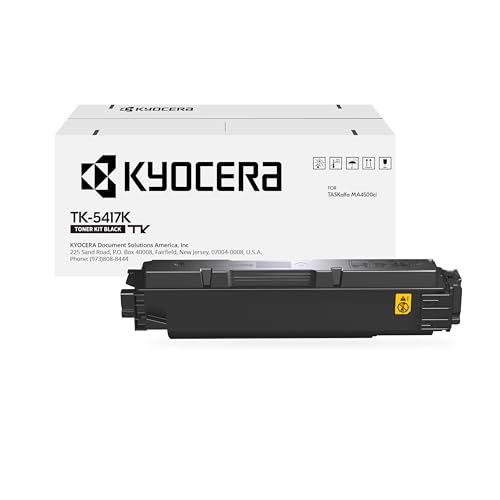
Official Kyocera cartridges



Compatible alternatives
Shown by Amazon sales popularity, not a recommendation. Third-party page yield isn’t independently tested, so we don’t calculate a cost per page for these — prices are for the cartridge only, normalised to a single unit.


Other models in this series
Alternatives from other brands


Head-to-head comparisons
Frequently asked questions
- Does the Kyocera TASKalfa MA4500ci support automatic two-sided (duplex) printing?
- Yes, the Kyocera TASKalfa MA4500ci supports automatic two-sided printing.
- Does the Kyocera TASKalfa MA4500ci connect over Wi-Fi?
- Yes, the Kyocera TASKalfa MA4500ci has built-in Wi-Fi.
- Can I print to the Kyocera TASKalfa MA4500ci from my phone?
- The datasheet for the Kyocera TASKalfa MA4500ci does not list any mobile printing app support.
- Does the Kyocera TASKalfa MA4500ci have an automatic document feeder (ADF) for scanning or copying multi-page documents?
- Yes, the Kyocera TASKalfa MA4500ci has an automatic document feeder.
- What cartridges does the Kyocera TASKalfa MA4500ci use?
- The Kyocera TASKalfa MA4500ci takes: Kyocera Cyan Toner, Kyocera Black Toner, Kyocera Magenta Toner, Kyocera Yellow Toner.