
Brother MFC-J6560DW
Fast for its class30 ppm
Full all-in-onePrint, scan, copy & fax
Auto duplex + ADFTwo-sided printing & feeder

Print speed (mono)31 ppm
Print speed (color)30 ppm
Monthly volume2,500 pages
DuplexAutomatic
ADFYes
PrintScanCopyFaxWi-FiEthernetUSBWi-Fi Direct
USD 309.99In stock on Amazon
View on AmazonSpecifications
Model numberMFC-J6560DW
Print technologyinkjet
Color supportcolor
Device typemultifunction
Functionsprint, scan, copy, fax
Print speed (mono)31 ppm
Print speed (color)30 ppm
Resolution4800 x 1200
Duty cycle (monthly)35,000 pages
Recommended volume2,500 pages/month
Handling
Automatic duplex printingYes
Automatic document feederYes
Paper sizesLetter, Legal, A3, A4, Photo
Mobile printingAirPrint, Mopria, Brother Mobile Connect
Connectivity
Wi-FiYes
EthernetYes
USBYes
BluetoothNo
Wi-Fi DirectYes
Physical
Width (mm)577
Depth (mm)478
Height (mm)305
Weight (kg)20
Cost to run
5.0¢per black & white page
About $180 a year in ink at 3,600 pages/year, on top of the $310 printer.
| Time owned | Printer | Ink | Total |
|---|---|---|---|
| After 1 year | $310 | $180 | $490 |
| After 2 years | $310 | $360 | $670 |
| After 3 years | $310 | $540 | $850 |
| After 5 years | $310 | $900 | $1,210 |
Total cost = purchase price + pages printed × cost per page, at 300 pages/month. It does not include electricity, paper or periodic parts (drums, maintenance kits). Prices are live and can change.
Customize in calculator →Price history
52 days · low $179.99 · high $309.99Now 72% above its 52-day low of $179.99 (Aug 14).
Compatible cartridges
Official Brother cartridges

USD 249.995.0¢/pglowest ¢/pg
View on AmazonAlternatives from other brands



Head-to-head comparisons
- Brother MFC-J6560DW vs HP OfficeJet Pro 9125e
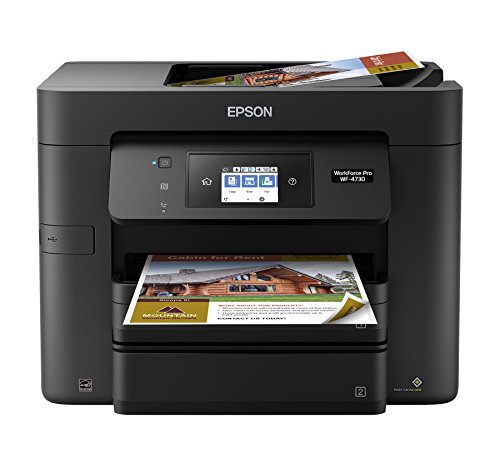
- Brother MFC-J6560DW vs Epson WorkForce Pro WF-4730 All-in-One Printer
- Brother MFC-J6560DW vs HP OfficeJet Pro 9135 All-in-One Printer
- Brother MFC-J6560DW vs Epson Expression Photo XP-8800 All-in-One Printer
Frequently asked questions
- Does the Brother MFC-J6560DW support automatic two-sided (duplex) printing?
- Yes, the Brother MFC-J6560DW supports automatic two-sided printing.
- Does the Brother MFC-J6560DW connect over Wi-Fi?
- Yes, the Brother MFC-J6560DW has built-in Wi-Fi.
- Can I print to the Brother MFC-J6560DW from my phone?
- Yes — the Brother MFC-J6560DW supports mobile printing via AirPrint, Mopria, Brother Mobile Connect.
- Does the Brother MFC-J6560DW have an automatic document feeder (ADF) for scanning or copying multi-page documents?
- Yes, the Brother MFC-J6560DW has an automatic document feeder.
- What cartridges does the Brother MFC-J6560DW use?
- The Brother MFC-J6560DW takes: Brother LC506XLBKS High Yield Black Ink Cartridge, Brother LC506XLCS High Yield Cyan Ink Cartridge, Brother LC506XLMS High Yield Magenta Ink Cartridge, Brother LC506YS Standard Yield Yellow Ink Cartridge, Brother LC506XXLBKS Super High Yield Black Ink Cartridge, Brother LC506XXLCS Super High Yield Cyan Ink Cartridge, Brother LC506XXLMS Super High Yield Magenta Ink Cartridge, Brother LC506XXLYS Super High Yield Yellow Ink Cartridge, Brother LC506XLYS High Yield Yellow Ink Cartridge, Brother LC506BKS Standard Yield Black Ink Cartridge, Brother LC506CS Standard Yield Cyan Ink Cartridge, Brother LC506MS Standard Yield Magenta Ink Cartridge.