
Brother MFC-J4535DW
Fast for its class19 ppm
Low running costfrom 1.2¢/page
Full all-in-onePrint, scan, copy & fax
Auto duplex + ADFTwo-sided printing & feeder

Print speed (mono)20 ppm
Print speed (color)19 ppm
Monthly volume2,000 pages
DuplexAutomatic
ADFYes
PrintScanCopyFax
USD 391.33In stock on Amazon
View on AmazonSpecifications
Model numberMFC-J4535DW
Print technologyinkjet
Color supportcolor
Device typemultifunction
Functionsprint, scan, copy, fax
Print speed (mono)20 ppm
Print speed (color)19 ppm
Duty cycle (monthly)30,000 pages
Recommended volume2,000 pages/month
Handling
Automatic duplex printingYes
Automatic document feederYes
Mobile printingNone stated
Connectivity
Wi-FiNo
EthernetNo
USBNo
BluetoothNo
Wi-Fi DirectNo
Cost to run
1.2¢per black & white page
About $44 a year in ink at 3,600 pages/year, on top of the $391 printer.
| Time owned | Printer | Ink | Total |
|---|---|---|---|
| After 1 year | $391 | $44 | $436 |
| After 2 years | $391 | $89 | $480 |
| After 3 years | $391 | $133 | $525 |
| After 5 years | $391 | $222 | $613 |
Total cost = purchase price + pages printed × cost per page, at 300 pages/month. It does not include electricity, paper or periodic parts (drums, maintenance kits). Prices are live and can change.
Customize in calculator →Price history
4 days · low $391.33 · high $422Compatible cartridges
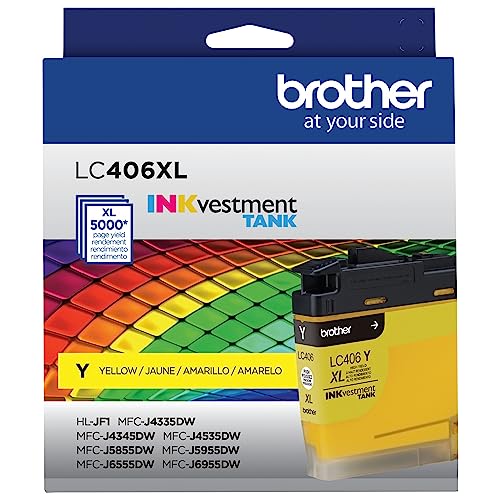
Official Brother cartridges


USD 73.991.2¢/pglowest ¢/pg
View on Amazon

Alternatives from other brands


Head-to-head comparisons
- Brother MFC-J4535DW vs Epson WorkForce WF-3620 All-in-One Printer
- Brother MFC-J4535DW vs HP OfficeJet Pro 9730 Wide Format All-in-One Printer
- Brother MFC-J4535DW vs Epson WorkForce Pro WF-C5390 Printer
- Brother MFC-J4535DW vs Epson Expression Photo XP-8800 All-in-One Printer
- Brother MFC-J4535DW vs Epson WorkForce Pro WF-4740 All-in-One Printer
- Brother MFC-J4535DW vs Epson WorkForce Pro WF-C5890 All-in-One Printer
Frequently asked questions
- Does the Brother MFC-J4535DW support automatic two-sided (duplex) printing?
- Yes, the Brother MFC-J4535DW supports automatic two-sided printing.
- Does the Brother MFC-J4535DW connect over Wi-Fi?
- No, the Brother MFC-J4535DW does not have built-in Wi-Fi.
- Can I print to the Brother MFC-J4535DW from my phone?
- The datasheet for the Brother MFC-J4535DW does not list any mobile printing app support.
- Does the Brother MFC-J4535DW have an automatic document feeder (ADF) for scanning or copying multi-page documents?
- Yes, the Brother MFC-J4535DW has an automatic document feeder.
- What cartridges does the Brother MFC-J4535DW use?
- The Brother MFC-J4535DW takes: Brother LC406BKS Standard-Yield Black INKvestment Tank Ink Cartridge, Brother LC406CS Standard-Yield Cyan INKvestment Tank Ink Cartridge, Brother LC406MS Standard-Yield Magenta INKvestment Tank Ink Cartridge, Brother LC406YS Standard-Yield Yellow INKvestment Tank Ink Cartridge, Brother LC406XLBKS High-Yield Black INKvestment Tank Ink Cartridge, Brother LC406XLCS High-Yield Cyan INKvestment Tank Ink Cartridge, Brother LC406XLMS High-Yield Magenta INKvestment Tank Ink Cartridge, Brother LC406XLYS High-Yield Yellow INKvestment Tank Ink Cartridge, Approx. 5,000-Page Yield.